Parents and guardians
Check school-provided student information such as attendance, academic progress, schedules, and notices when those areas are enabled for your account.
TrillED mobile apps
TrillED brings selected school information and workflows to iPhone and Android. Each person sees the tools their school has enabled for their role.

Your school must use TrillED and provide your account or school verification details before you can sign in.
One school connection
The mobile app complements the school’s TrillED workspace; administrators continue to configure school operations and access from the web platform.
Built around real school roles
Schools enable modules and assign permissions, so available screens can differ between institutions and between users at the same school.
Check school-provided student information such as attendance, academic progress, schedules, and notices when those areas are enabled for your account.
Use the school-enabled student view for academic information, schedules, communication, and profile or certificate access where available.
Access school-authorized teaching and communication workflows. Use staff attendance scanning where enabled, with QR or face attendance governed by the school’s station settings.
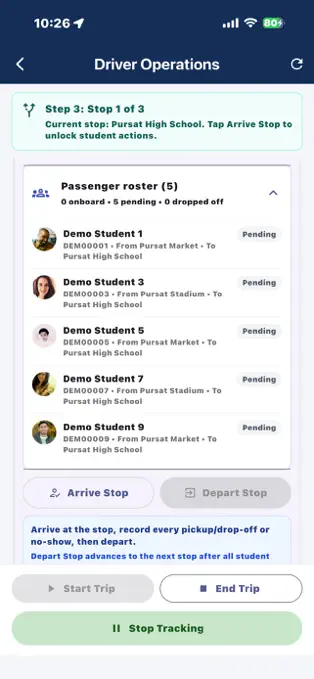
Driver Mode supports assigned school trips and live trip tracking while an enabled trip is active. Location access is used for the active transport workflow.
Authorized operators can use paired attendance stations, prepared offline attendance, and library stock-take scanning where enabled. School administrators manage roles, station policies, and access in the web workspace.
A look inside the app
Real screens from the App Store and Google Play listings. Menus and transport tools depend on school permissions and assigned trips.
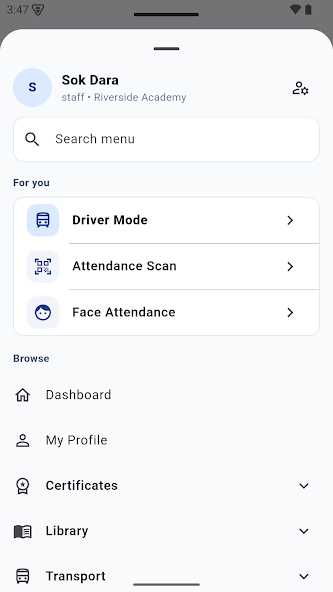
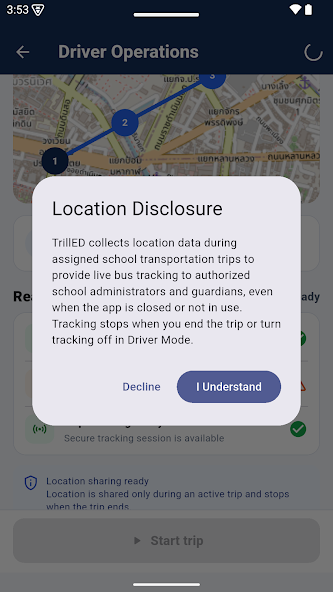
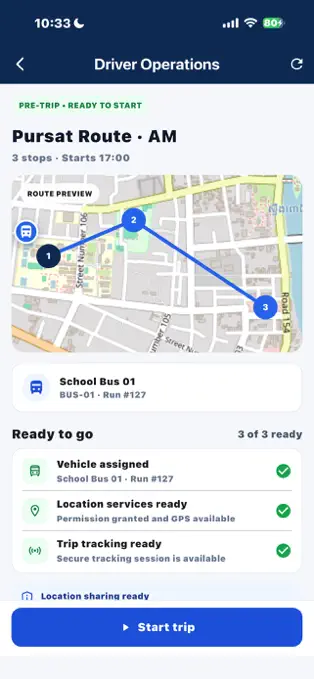
Download the app for your device, then use the sign-in or school verification details provided by your institution.
Evaluating TrillED for your school? Talk with our team.